|

|
 | |  |
|
| TabView Organizer for Microsoft® Outlook® |
version 1.02.0130 |
| Search and organize e-mails, tasks, contacts, and notes in Microsoft Outlook automatically. |

more screenshots.. |
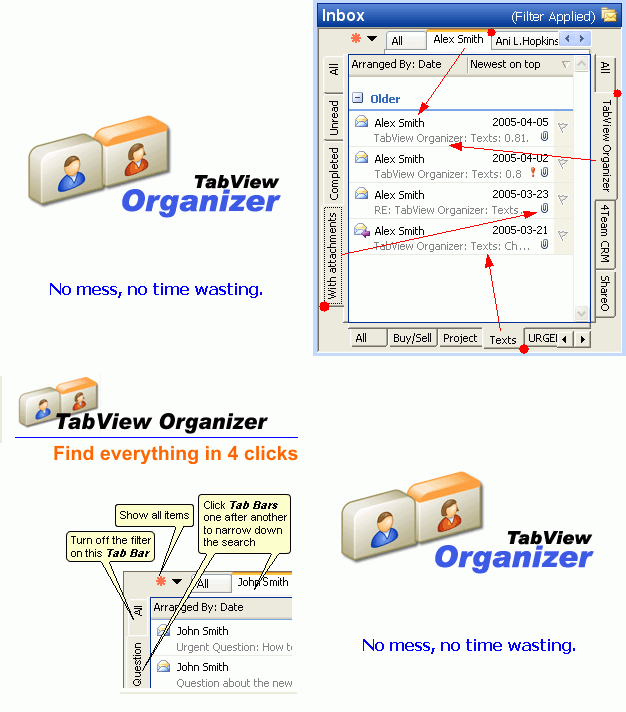
TabView Organizer is a plugin for Microsoft Outlook that allows you to search, sort, group, and view information in a few clicks in the way you prefer.
Smart Wizard automatically analyzes all your activity in each folder and assigns filters and views to convenient tabs.
Example of use:
The first click on the Tab will help you find an email from your friend, the second click will filter by specific subject, the third will sort out only unread messages, and the last click will find messages that were sent to you during the last seven days. Not impressed? Assign your custom Filter and View to any tab to make your search/filter/sort as precisely as you wish.
Task and Project Management has never been easier with TabView and Microsoft Outlook: Assign project name (category) and preferred view to the tab or use the Wizard. Your Project information is accessible, filtered and sorted out in one click.
If you are looking for means to save your valuable time, this program is for you.
Filter, don't search!
|
 |
|
 |
 |
Buy/Register TabView Organizer*
Since 2001 many companies and organizations have used our products.
Pricing: From $9.95 to $29.95 per license, volume discount available.
Buy Now and you receive:
1 year of free updates
1 year of free support via e-mail and live help
|
 |
Main Features
Search and filter Microsoft Outlook data in one click.
Plug-in for Microsoft Outlook Folders - Fully integrated in a chosen folder View; expands the standard features of Microsoft Outlook search, filter, sorting, and views.
One Click Tab Switch between Customized Views and Filters in any Microsoft Outlook Folder. - You can change the filter by simply clicking another Tab.
Manage and Edit Tabs - Easily manage Tab Filter and View options, Add new, Rename, Merge, Delete, and Move Tabs or Tabs panel to any side of the screen.
Move your tabs and filter settings to other PCs or similar folders.
Easy Tabs setup by a smart & flexible Wizard.
|
*TabView Organizer comes with a free 14-day trial, an easy-to-install/uninstall program, with free installation help, and a 14-day moneyback guarantee. Before requesting a refund, you must request our online technical support by email or Live Help. If the problem is not resolved through our online technical support, we will give you a full refund.
Have your order ID ready and submit to: Online Support Form.
|
 Download printable Documentation here. 761Kb Download printable Documentation here. 761Kb |
| |
 | |  |
|

 Home
Home



 Screenshots
 Documentation
 Version History...
 Frequently Asked Questions
 Take the Tour
 Full List of Features
 Top of page
 Tell a Friend
 Print
Print Add to Favorites


 Add to Cart

